Streamlining Your Windows PC: Eight Preinstalled and Third-Party Apps Worth Removing
Article Editorial Team
Setting up a brand-new Windows personal computer is often a thrilling experience, bringing the promise of lightning-fast performance, a pristine desktop, and seamless multitasking. However, that initial excitement frequently dims upon discovering the sheer volume of preinstalled software that greets the user. Bloatware and adware are certainly not new phenomena in the computing world, but they feel increasingly prevalent and intrusive in modern operating systems.
These unwanted applications do much more than merely clutter a hard drive. At a time when solid-state drive space has grown more precious due to fluctuating and soaring hardware storage prices, extraneous software devours valuable gigabytes. Beyond eating up physical storage, many of these background applications actively consume system memory, draining RAM and bombarding users with unwanted notifications and persistent alerts.
The widespread nature of these digital annoyances—including junk software built directly into the core Windows operating system—has made debloating a fresh PC an essential ritual for many users. While some preinstalled programs and common third-party tools are not entirely malicious or broken, they may still fall short of user expectations. Depending on individual computing habits, many of these default applications are easily surpassed by superior, often free or inexpensive alternatives. Evaluating what is truly necessary on a machine can lead to a noticeably smoother, more efficient computing experience. Here is a look at eight common Windows applications that users should consider replacing or removing outright.
1. Media Player
The default Media Player—not to be confused with the classic Windows Media Player found in older iterations of the operating system—serves as the out-of-the-box solution for listening to music and watching videos on modern Windows PCs. While it performs adequately for standard audio and video files across a broad range of common formats, it struggles to compete with the extensive capabilities offered by robust third-party alternatives such as VLC.
VLC has long held a reputation for versatility, capable of effortlessly playing an enormous array of video formats, including rare or obscure extensions, without requiring additional codecs or third-party plug-ins. Furthermore, the application handles media file conversions quickly and cleanly. For users who rely on subtitles, VLC provides seamless drag-and-drop functionality for external .srt or .vtt subtitle files downloaded from the web. Completely free and open-source, the application offers a wealth of advanced features for users willing to explore its deeper settings.
2. Microsoft Clipchamp
As digital content creation continues to grow as both a hobby and a potentially lucrative side hustle, software accessibility has never been more important. Microsoft Clipchamp is bundled directly into Windows 11, offering a straightforward, user-friendly interface designed to let users crop, cut, and edit videos in up to 1080p resolution. Unfortunately, the software locks many of its more compelling features behind the Microsoft 365 paywall, including Copilot artificial intelligence integration, 4K exporting capabilities, and access to premium stock media assets, filters, and visual effects.
For individuals who edit video regularly, navigating these limitations can be frustrating, leading many to recommend alternatives like CapCut for amateur and intermediate creators alike. Such platforms manage to remain approachable for beginners while packing enough sophisticated features to satisfy more demanding users. While advanced features or commercial tiers often involve a subscription model starting around $19.99 per month, platforms that adopt this approach frequently deliver substantial value compared to standard operating system bundles.
3. uTorrent
Although it remains widely recognized, uTorrent has earned a controversial reputation among modern PC users. Like many utility programs offering free tiers, the application is saturated with advertisements and frequently attempts to bundle additional, unwanted software during the installation process. Historical controversies, such as a 2015 incident where the installer secretly bundled a cryptocurrency miner without explicit user consent, have left a lasting impression on the community, fostering a sense of caution regarding bundled third-party installers.
For users seeking a traditional torrenting experience without the associated bloatware, advertisements, and aggressive marketing tactics, qBittorrent offers a clean and capable alternative. It maintains a modest system footprint while providing built-in search engines and broad compatibility with private tracking communities. For those who prefer an ultra-minimalist, barebones approach, applications like Transmission provide a streamlined experience that is difficult to surpass.
4. Antivirus Trials
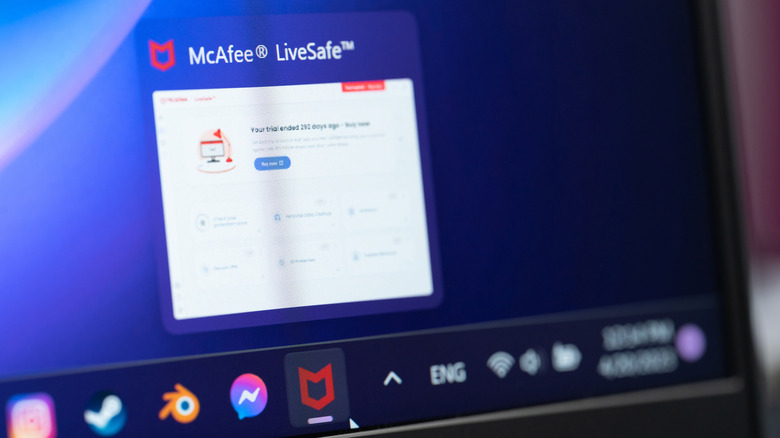
Unboxing and configuring a new computer brings high expectations, making it particularly frustrating to discover that a newly purchased machine is weighed down by preinstalled third-party security trials such as McAfee or Norton. Dealing with persistent pop-up alerts warning that an unwanted subscription trial is expiring can quickly sour the initial setup phase, especially given that built-in security features like Windows Defender have evolved to provide more than enough protection for the average user.
Because Windows Defender offers robust, real-time protection out of the box, standalone commercial antivirus applications often attempt to justify their paid subscriptions by bundling secondary security services, such as virtual private networks, scam detection tools, and identity theft recovery assistance. However, for users whose primary concern is standard defense against malware and digital threats, the operating system’s native security infrastructure is more than vigilant enough to keep the system secure without requiring additional paid software.
5. Microsoft News and Microsoft Weather
Despite their permanent placement within the world’s most popular desktop operating system, Microsoft’s default news and weather applications see remarkably little integration into most users’ daily digital workflows. It remains a curious reality that these apps persist as standard installations, frequently experiencing lower regular utilization than classic time-wasting utilities like Minesweeper.
The built-in Weather application is functional enough, but it offers little distinction and features intrusive advertisements that interrupt the user experience. Numerous dedicated weather websites and independent applications deliver far more granular meteorological data within a cleaner, ad-free interface. The Microsoft News application proves even less appealing, often crowding its interface with low-quality or sensationalized clickbait stories alongside persistent advertising. Users seeking reliable daily briefings achieve significantly better results by curating a personalized RSS feed, following trusted publications directly on social media, or utilizing dedicated news organization applications.
6. Xbox
The definition of Microsoft’s Xbox brand has evolved significantly over the years, shifting from a dedicated living room console into a multifaceted ecosystem that spans hardware, PC applications, digital storefronts, and cloud-based streaming services. For gamers utilizing a Windows PC, the Xbox application offers a wealth of useful features, including an Xbox mode that bridges the gap between traditional console convenience and the raw processing power of a high-end desktop computer. The platform receives frequent updates, supports cloud gaming, streamlines social connections with friends, and aggregates disparate game libraries into a single interface.
However, for individuals who do not play video games, the application serves little purpose beyond consuming background system resources. Even among active gamers, those who rely exclusively on alternative storefronts like Steam can manage their libraries entirely without the Xbox app, making the software safe to remove for anyone who has stepped away from the ecosystem or subscription services like Game Pass.
7. Solitaire and Minesweeper
The transformation of classic desktop pastimes provides a clear view of how monetization models have shifted across modern software ecosystems. Decades ago, games like Minesweeper and Solitaire came standard with every copy of the Windows operating system, offering clean, ad-free diversion. Today, the modern iterations included with the operating system are heavily monetized, often pushing users toward subscription fees to escape frequent advertisements.
Fortunately, because these puzzle games rely on simple mechanics, numerous clean and accessible alternatives exist across the web and digital marketplaces. Browser-based platforms provide classic versions of both games with zero advertising or intrusive monetization schemes. For users who prefer an offline desktop experience, dedicated gaming platforms like Steam host polished free-to-play versions of traditional card and puzzle games that feature expansive customization options, multiple game modes, and a complete absence of advertisements.
8. Microsoft Office
The adage that nothing beats free software remains a powerful guiding principle in personal computing, exemplified by productivity suites like Google Workspace. Web-based document editors, spreadsheets, and presentation tools provide everything most casual users require for personal organization, coupled with simple web-link sharing capabilities that eliminate the need for cumbersome file attachments.
Yet, web-based suites do not always serve as a direct, seamless replacement for Microsoft Office, which remains the entrenched corporate standard. Businesses and institutions worldwide rely on proprietary extensions like .docx and .xlsx, and while competing suites can export to these formats, formatting discrepancies frequently occur during the conversion process.
Accessing the full suite of native Microsoft Office applications requires a recurring financial commitment through Microsoft 365 subscriptions. For users who prefer the reliability of a dedicated desktop application without entering a subscription model, robust free alternatives like OnlyOffice offer a comparable productivity experience while remaining accessible for individual users. Regardless of the chosen productivity suite, users can safely uninstall the trial versions preloaded onto new Windows machines, eliminating the persistent prompts encouraging them to purchase a full subscription whenever a standard Office document is opened.
Related News