Amazon’s Alexa Tablet 12 Pro Review: Premium Hardware Meets Surprising Value
Article Editorial Team
Amazon is charting a bold new course for its hardware ecosystem. For years, the company’s tablet strategy followed a predictable, budget-friendly blueprint. Fire tablets established themselves as affordable, durable devices tailored primarily for casual media consumption, streaming video, web browsing, light gaming, and social media checks. However, those devices operated within a tightly walled garden, lacking native access to the Google Play Store and missing mainstream applications like WhatsApp and YouTube.
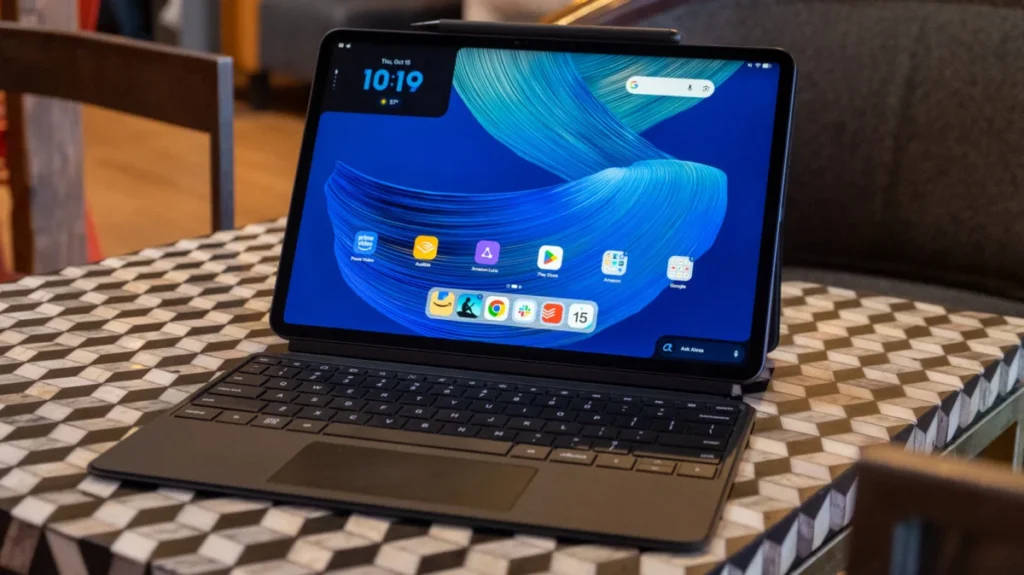
This year, Amazon is rewriting that playbook entirely. The company’s newly announced series of Alexa tablets places its signature voice assistant and proprietary services front and center, but it also introduces fully fledged Android devices loaded with Google’s core applications and open access to the Play Store. Leading this charge is the Alexa Tablet 12 Pro, an intriguing high-end option that sits alongside non-Pro 8-inch and 11-inch models. While legacy Fire tablets focused squarely on basic entertainment, the Tablet 12 Pro positions itself as a direct challenger to Apple’s iPad Air and iPad Pro lineup.
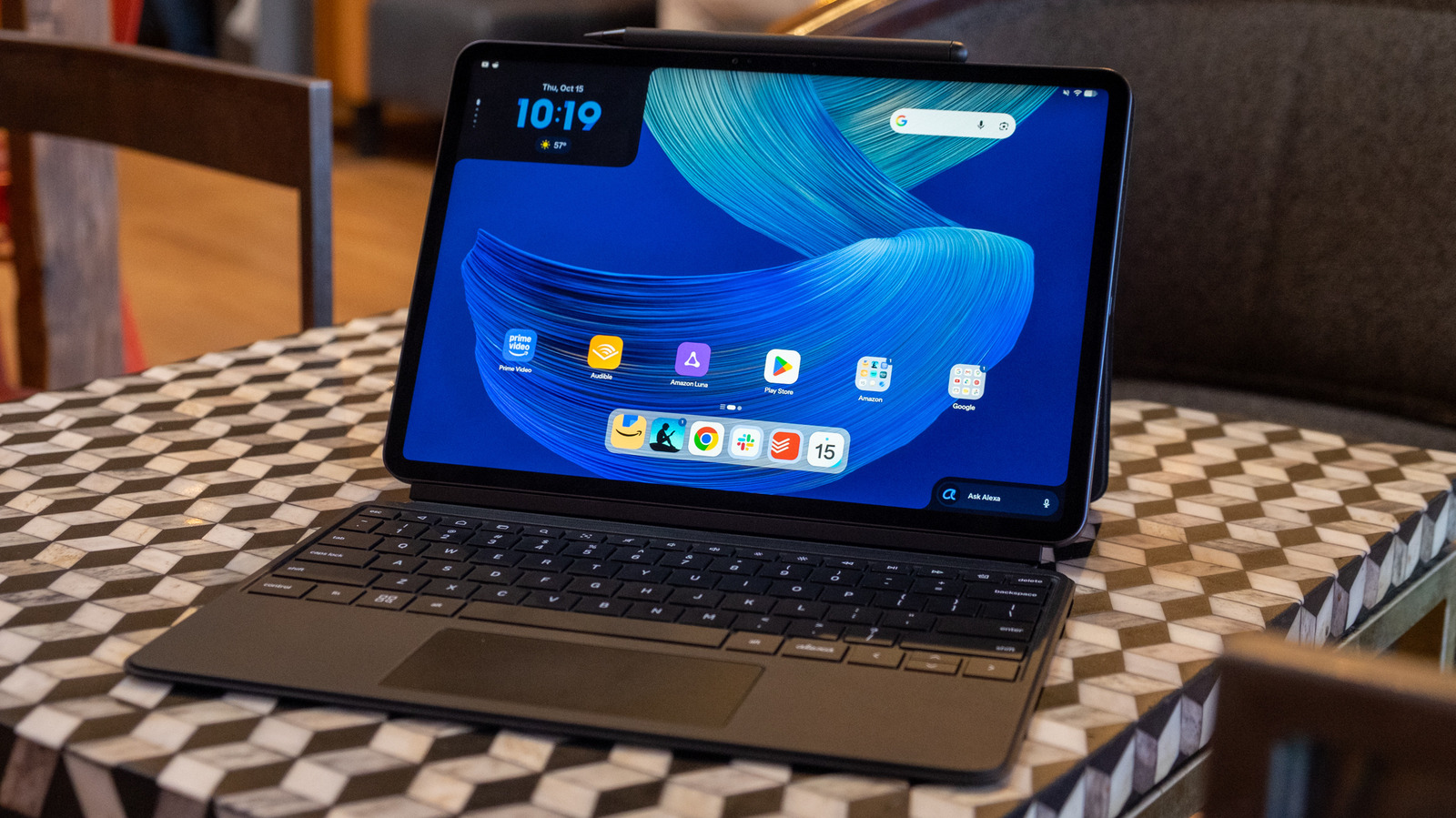
At first glance, the similarities are striking. The device features an aluminum unibody design measuring a slender 6.5mm thick and weighing 1.21 pounds, surrounded by relatively thin bezels framing a large display. Optional keyboard and stylus accessories reinforce the impression that this hardware is built for productivity rather than passive viewing. While software limitations prevent it from matching the comprehensive capabilities of Apple’s ecosystem, its aggressive $499 starting price makes any shortcomings much easier to overlook.
Hardware Design and Build Quality
Reviewers and consumers alike might easily mistake the Alexa Tablet Pro 12 for a recent iPad Air or iPad Pro given their shared aesthetic DNA. The shorter edges of the Amazon device house stereo speakers, accompanied by a power button with an integrated fingerprint sensor on one end and a lone USB-C port on the other for charging and data transfer. During testing, the USB-C port easily recognized external accessories like an SD card reader and a flash drive. While the omission of a headphone jack may disappoint some users, it remains an expected casualty of modern ultra-slim electronics design.
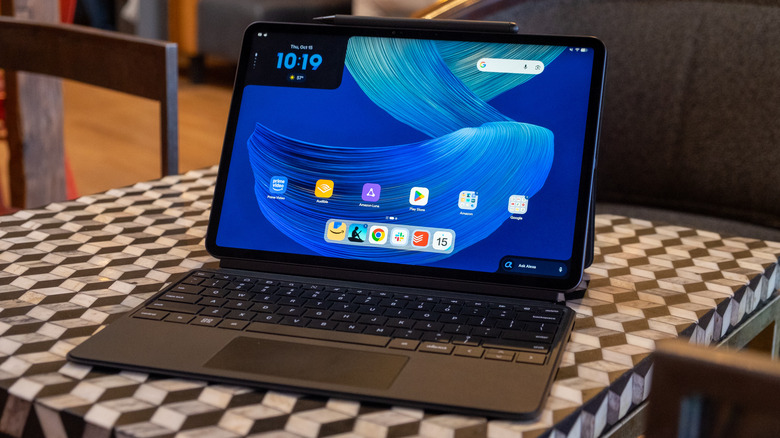
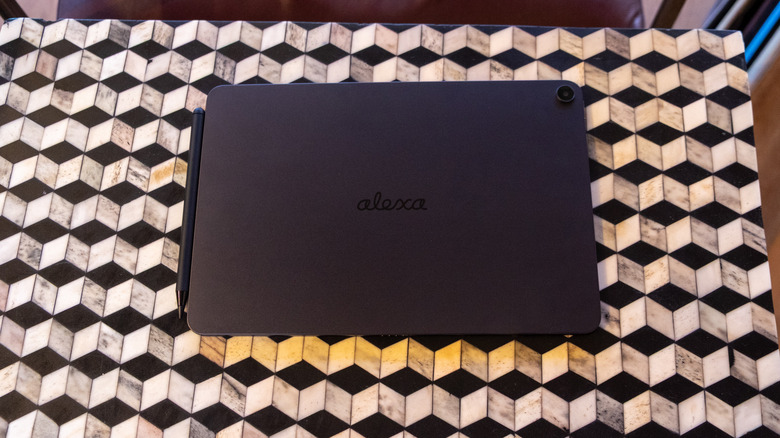
Along the top edge, users find volume controls and a magnetic groove designed to securely attach, store, and charge the optional Alexa Tablet Pro Pen. The bottom edge houses a four-pin port for connecting the dedicated keyboard folio. The rear chassis features a single 13-megapixel camera and the word "Alexa" written in a refined cursive font, omitting Amazon branding entirely from the exterior surfaces.
In terms of physical dimensions, the Alexa Tablet occupies a middle ground relative to Apple’s 11-inch and 13-inch iPad Air models. It measures slightly thicker at 6.5mm compared to 6.1mm and carries a slightly heavier footprint at 1.21 pounds versus 1.02 pounds for the 11-inch iPad Air. Despite these minute differences, the aluminum unibody build feels sturdy, premium, and well-balanced, representing a massive evolutionary leap forward from previous generations of Fire hardware.
The Innovative Nanomatte Display
As with most modern slates, the user experience of the Alexa Tablet Pro 12 is defined by its screen. The 12-inch panel relies on traditional LCD technology rather than OLED, yet it delivers solid performance with 500 nits of brightness and a high resolution of 2,800 by 1,840 pixels. This yields a dense 280 pixels per inch, while a 3:2 aspect ratio provides a balanced compromise for both productivity tasks and widescreen cinematic content. Although the hardware is optimized primarily for landscape use, portrait orientation can feel slightly tall and unwieldy, lacking the natural balance of Apple’s traditional 4:3 format.
Nevertheless, the screen surpasses the standard iPad Air in several critical areas. It features a smooth 120Hz refresh rate—a specification that Apple restricts to its much more expensive Pro models, which start at $1,199 for an 11-inch version. Although Amazon’s software lacks the deep optimization of iPadOS, resulting in occasional stuttering despite the high refresh rate, the display technology itself remains impressive.
The standout feature of the display is the optional nanomatte finish, which adds a $50 premium to the retail cost. This anti-reflective etching minimizes harsh glare from strong light sources, performing remarkably well when compared side-by-side with standard glass panels in bright morning environments. By contrast, Apple charges vastly higher sums to incorporate nano-texture glass into its top-tier Pro lines, enhancing the competitive appeal of Amazon’s offering. The only minor drawback to the nanomatte finish is a slight washing out of colors under intense direct light, though the trade-off for enhanced legibility across shifting lighting conditions is well justified.
A Surprisingly Capable Digital Reader
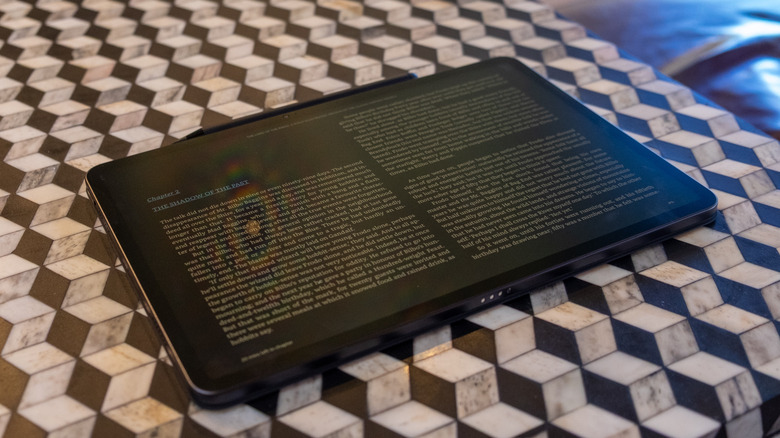
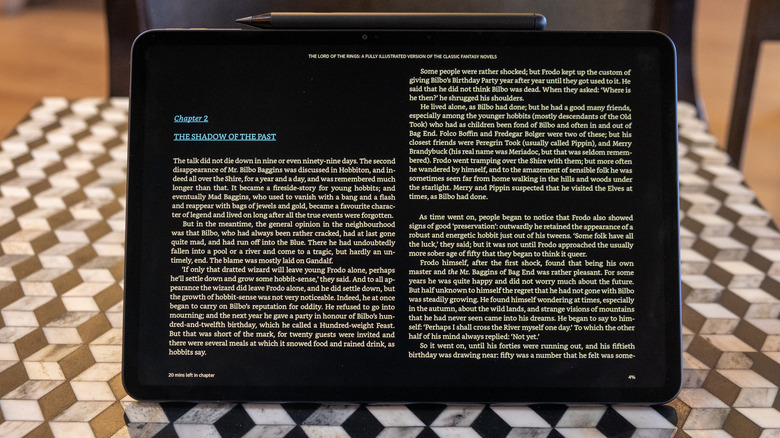
The nanomatte screen finds a natural synergy with Amazon’s upgraded Kindle reading application, making the Alexa Tablet arguably the finest LCD-based reading device on the market. By default, the software enables a dark mode tailored for the hardware, complemented by automated blue-light reduction and notification silencing features designed to minimize distractions during reading sessions.
Users can toggle between three distinct display profiles tailored to different content types. The "Standard" profile warms the color temperature while preserving vibrant hues for illustrated books, "Color Paper" reduces color saturation for a softer look, and "Ink Paper" switches the interface to pure greyscale. Visuals in graphic novels and illustrated collections appear clean and comfortable, reducing eye strain during extended reading periods. While it cannot entirely replicate the specialized comfort of a dedicated E Ink Kindle, it provides an exceptional reading experience for users who prefer a versatile, multi-purpose gadget.
Software and General Performance
Upon initial startup, the device clearly highlights Amazon’s ecosystem. The home screen features prominent shortcuts for Kindle, Luna, Prime Video, Audible, and the Silk web browser. However, a dedicated folder houses essential Google applications such as Gmail, Maps, Meet, and YouTube, while the Google Play Store enables easy downloading of alternative software like Chrome.
UI customization tilts toward Amazon’s preferences, featuring home screen widgets for recent digital interactions, quick access to Kindle books, music playback, and the Alexa+ virtual assistant. Voice activation via the wake phrase "Hey Alexa" operates alongside a secondary Google search widget in the upper-right corner of the interface, striking a pragmatic balance between competing ecosystems.
Media consumption is enhanced by speakers supporting Dolby Atmos, delivering adequate spatial separation for movies and clear audio for casual music listening. However, Android’s historical weakness on large screens remains evident. Many third-party developers still fail to optimize their applications for expanded display real estate, leaving apps like Slack appearing as oversized smartphone interfaces rather than leveraging multi-column layouts. Fortunately, major productivity tools like Adobe Lightroom, Todoist, and Google’s suite of office apps are fully optimized for larger displays.
Multitasking is supported through flexible split-screen and desktop views, enabling users to resize and overlap multiple applications simultaneously. Under the hood, a MediaTek Dimensity 8400 processor paired with 8GB of RAM and 128GB of storage handles everyday workloads efficiently, though occasional UI responsiveness hiccups occur during heavy app switching. Battery life consistently yields roughly eight hours of mixed productivity use involving document editing, web browsing, and messaging, positioning it as a dependable portable companion.
Pro Accessories and Value Proposition
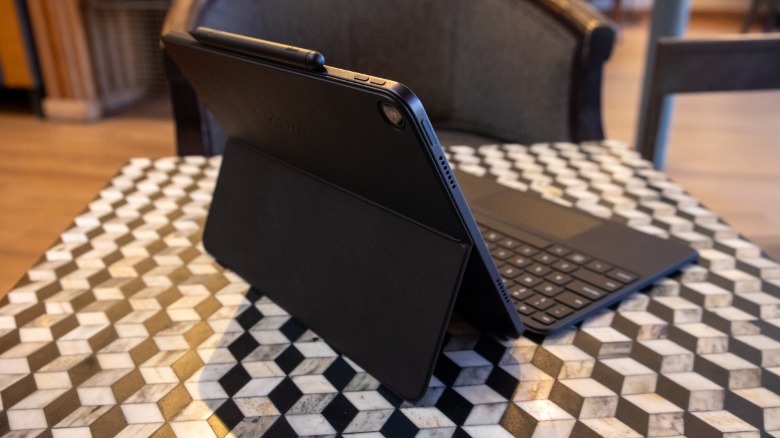
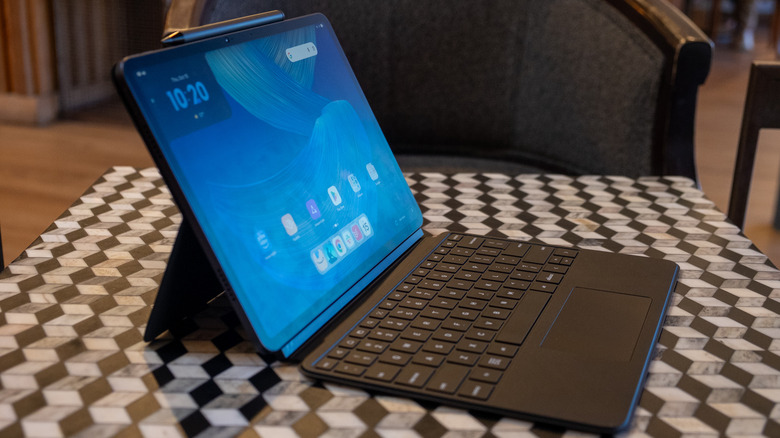
The "Pro" moniker is anchored by the availability of a detachable keyboard and a stylus. Purchased separately, the Pro Keyboard and Pro Pen cost $150 and $90, respectively, but Amazon offers discounted bundle configurations. A mid-tier review unit combining 8GB of RAM, 128GB of storage, and the nanomatte display retails for $550, while bundling it with the keyboard raises the total to $650, or $700 for the complete kit including the pen.
The keyboard folio utilizes a two-piece design featuring a magnetic rear kickstand and a snap-on keyboard. While the kickstand setup can feel unstable when used on a lap rather than a sturdy desk surface, the pricing undercuts Apple’s equivalent keyboard folios significantly. The keyboard offers shallow key travel due to its slim profile, yet remains functional for lengthy typing sessions, hampered only by the prominent placement of a dedicated Alexa key where standard control keys typically reside. Meanwhile, the Pro Pen offers tilt and pressure sensitivity alongside a physical eraser on the reverse end, functioning reliably as a sketching and annotation tool.
Ultimately, the Alexa Tablet 12 Pro is not without limitations. Android software optimization for large screens continues to lag behind competitors, and the device is unlikely to replace a primary desktop workstation. Yet, priced competitively at $550 for the tablet alone, it carves out a compelling niche as a versatile media consumption device, reader, and portable workspace. For consumers navigating a market defined by escalating hardware expenses, Amazon’s premium tablet delivers an impressive balance of capability and value.
Related News